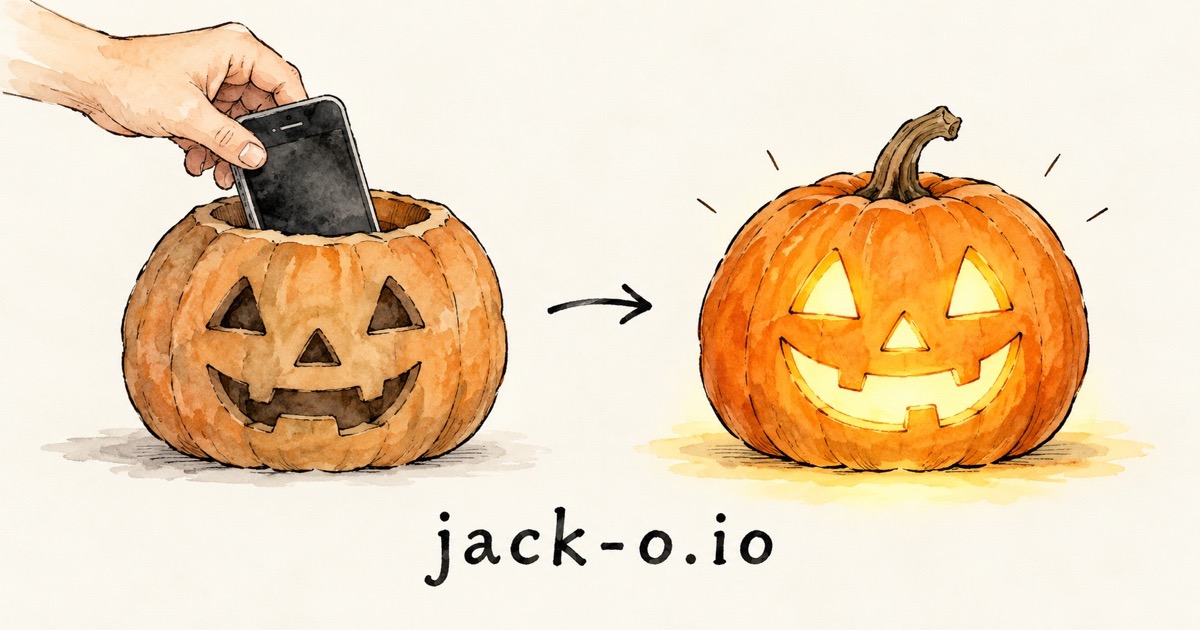
Talking Jack-o'-Lantern
Put an old phone in a pumpkin. It hears trick-or-treaters and talks back in character.
- 1Open jack-o.io on an old phone.
- 2Power it up: enter a free key, get a Pumpkin Pass, or scan one from your other phone.
- 3Press Start and put it in the pumpkin, screen facing out.
Try other voices
Tap a voice to hear it and use it.
On a computer? Open it on your phone.
Point your phone's camera at this code. The pumpkin runs on a phone; an old one is perfect.
Not ready yet? Get a reminder before Halloween.
We'll email you a week before Halloween and the day before.
Set it up
Free option: use your own Google key
Free with your own Google key, in each character's own voice. A Pumpkin Pass adds every voice and color, and your key still does the talking.
A key is a long code, like a password, that lets the pumpkin use Google. It's free.
How do I get a key?
- Open Google's free key page and sign in with any Google account.
- Tap Create API key and copy the code.
- Paste it in the box above.
Your key stays on this phone and only goes to Google.
Unlock everything
One payment of $1.99, yours to keep:
- Any voice for any character. Free characters use their own voice.
- Write your own character. Make it anyone you like.
- Lantern colors. Red, green, purple, ghostly white, or any color you pick.
How the unlock works
- It follows your key, not the phone. Paste your key in step 1 before you buy. Any phone using that key unlocks by itself, including phones you set up with Share my key.
- Changing keys is fine. If an unlocked phone switches to a new key, the new key unlocks too. One purchase covers up to 6 keys.
- No account, no sign-in. We never see your key. Only a scrambled fingerprint of it, which can't be turned back into the key, is saved with your payment.
- Payment is handled by Stripe. Your card details never touch this site.
- Refunds: email ddilanchian@gmail.com with your order number from the Stripe receipt.
No key, no setup, works in 30 seconds.
About 400 replies, every voice and color, and ElevenLabs voices.
Not happy with it? Email ddilanchian@gmail.com for a full refund.
Already set up on another phone?
Point the camera at the code on the other phone.
On the old phone, open jack-o.io and tap Scan Key. Hide this when done: it carries your pass or key.
More options: voices, language, lantern color
ElevenLabs voice 🔒
Use any voice from your ElevenLabs account, even your own clone. ElevenLabs bills you for the voice.
🔒 Included with the Pumpkin Pass. Get a pass to use it.
Where do I find these?
- Sign in at elevenlabs.io.
- Key: profile menu › API Keys › Create, with "Text to Speech" allowed.
- Voice ID: Voices › pick one › its menu › Copy voice ID.
This replaces the voices above. Your key stays on this phone.
Match the visitor replies in their language. If it switches by mistake, pick one.
The screen glows in this color as it talks.
Phone tips
- Brightness all the way up, auto-brightness off.
- Keep the screen on. iPhone: Settings › Display & Brightness › Auto-Lock › Never, Low Power Mode off. Android: Settings › Display › Screen timeout › longest, battery saver off.
- Volume all the way up. Keep it plugged in, unless you don't mind it dying partway through the night.
- To mute: tap the screen or say "Mute on". Say "Mute off" to unmute.
Privacy
- What visitors say goes to Google so the pumpkin can answer. With a free Google key, Google may use it to improve its products.
- This site records nothing. Your key and settings stay on this phone.
- With an ElevenLabs key, the pumpkin's words go to ElevenLabs to be spoken.
- Stripe handles payments; card details never touch this site. To restore an earlier purchase, the site checks a scrambled fingerprint of your key, never the key.
- A reminder sign-up keeps your email only to send you the Halloween reminder.
- A bug report sends what you write, your phone type, the site version and your settings (never your key).
- We count anonymous usage (page views, options used) with a random number on your phone. Google's ad tag notes which ad visits led to a purchase. The video plays from YouTube (privacy-enhanced).
- Put a small "talking pumpkin" sign nearby so people know it's listening.
Report a bug
What went wrong? What did you tap, and what did you expect to happen?